
Download WinPcap – Network Packet Capture, Real-Time Network Monitoring, Packet Analysis
Overview
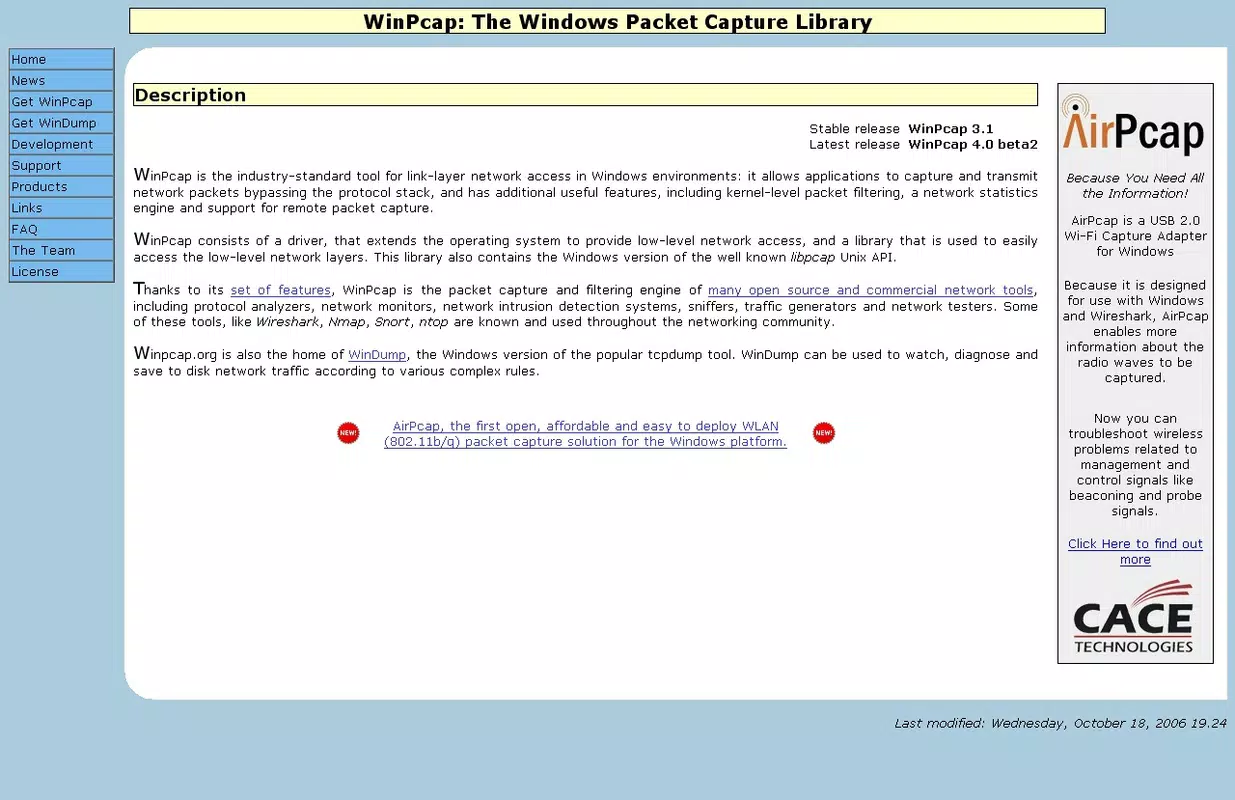
WinPcap is a Windows-based utility designed for capturing and analyzing network packets in real time. It serves as a foundational tool for users who require detailed insights into network traffic, particularly those involved in troubleshooting, security analysis, or network diagnostics. The application enables users to monitor data flowing through their network interface card, providing a low-level view of active connections and data exchanges. This capability is especially valuable for IT professionals, network administrators, and advanced users seeking to understand or verify network behavior.
WinPcap supports both Windows 10 and Windows 7, offering reliable performance on these platforms. However, the developer advises users on Windows 11 to consider Npcap, a more modern alternative with updated compatibility and enhanced functionality. Despite this recommendation, WinPcap remains a stable and accessible solution for legacy systems and users who do not require the latest features. Its integration with other network analysis tools, such as Wireshark, strengthens its role in the broader network diagnostics ecosystem.
While the developer did not provide additional technical details about the application’s architecture or underlying protocols, the tool’s straightforward installation and immediate usability suggest a focus on accessibility. Real-world use cases include identifying bandwidth hogs, detecting suspicious traffic patterns, and validating network configurations. The application fills a niche in the network tool category by delivering essential packet capture functionality without requiring advanced technical expertise.
Key Features & Functionality
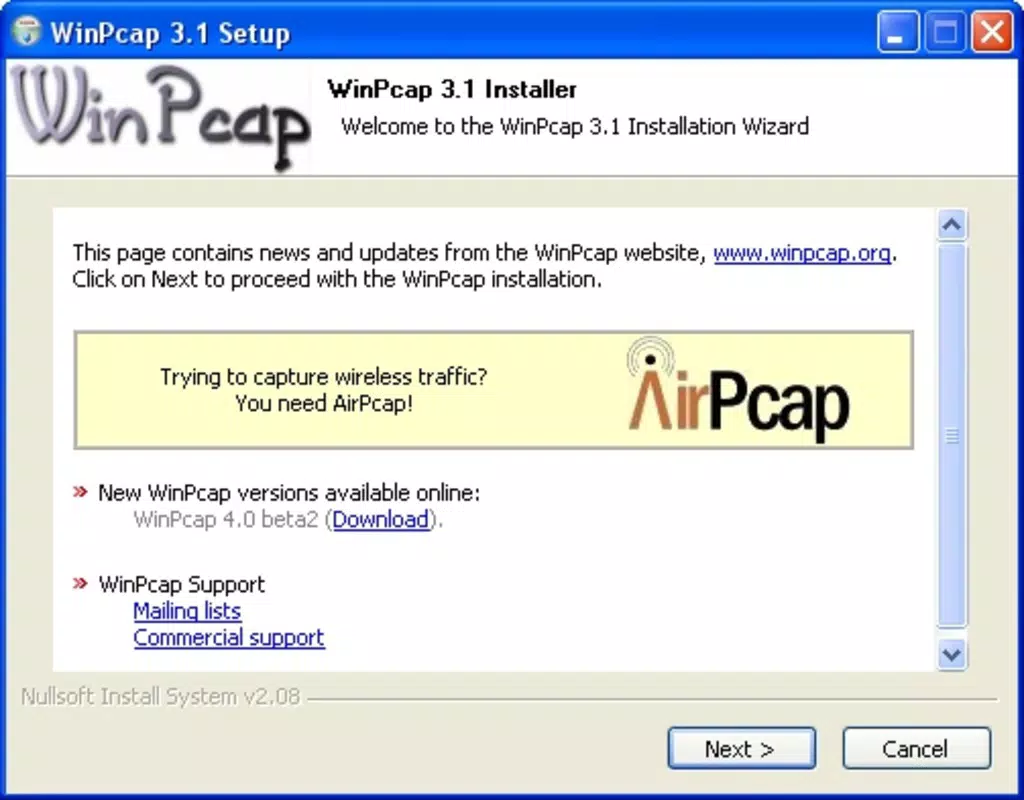
- Easy Installation Process: WinPcap features a simple installation workflow. Users can download the executable and run it with administrator privileges. The installation includes a dedicated network driver that is automatically recognized by the system, enabling seamless integration with compatible applications.
- Real-Time Packet Capturing: The core functionality of WinPcap is the ability to capture network packets as they are transmitted or received. This real-time monitoring allows users to observe traffic patterns instantly, making it ideal for diagnosing connectivity issues or analyzing network performance.
- Windows 10 and Windows 7 Compatibility: The tool is confirmed to work on both Windows 10 and Windows 7, ensuring broad accessibility for users on these operating systems. This compatibility supports continued use in environments where upgrading the OS is not feasible.
- Integration with Network Analysis Tools: WinPcap is designed to work with a range of third-party applications, including Wireshark. This compatibility allows users to leverage WinPcap’s capture engine while using advanced visualization and analysis features from other tools.
- Alternative Recommendation for Windows 11: Although not officially supported on Windows 11, the developer suggests using Npcap instead. This advisory ensures users are directed toward a more up-to-date solution that maintains compatibility with modern Windows security and driver models.
For example, a network administrator troubleshooting a slow connection could use WinPcap to capture traffic during peak hours, then analyze packet timing and size to identify bottlenecks. Similarly, a security analyst might use it to detect unauthorized data transfers by examining outbound traffic patterns. These practical applications highlight the tool’s relevance in both professional and technical environments.
Interface, UX & Performance
WinPcap does not include a graphical user interface (GUI) as part of its core functionality. Instead, it operates as a background driver and library, relying on external applications to provide user interaction. This design choice reflects its role as a foundational component rather than a standalone tool. As such, the user experience is entirely dependent on the application using WinPcap as its packet capture backend.
Although the developer did not list formal performance metrics, the tool is known for its lightweight nature and minimal system impact. With a file size of 4.2 MB, WinPcap is optimized for efficient operation, making it suitable for use on systems with limited resources. Its performance is consistent across different device categories, though specific benchmarks were not provided.
Navigational flow is not applicable in the traditional sense, as the application does not present menus or interactive screens. Instead, users interact with WinPcap indirectly through compatible software. Responsiveness is maintained through direct access to the network interface, allowing for near-instant packet capture and transmission to downstream tools. Stability is reported to be reliable on supported operating systems, though users on newer Windows versions may encounter compatibility issues.
Platform Compatibility & Technical Requirements
WinPcap is designed for the Windows platform and is compatible with Windows 10 and Windows 7. The application is available as a free download with a file size of 4.2 MB. The current version is 4.1.3, released on April 5, 2016.
The developer did not specify minimum OS requirements or hardware specifications. Compatibility information was not fully disclosed, particularly regarding newer Windows versions such as Windows 11. While the tool functions on Windows 10 and 7, users on Windows 11 are advised to use Npcap instead, suggesting that native support may be limited or deprecated.
Installation requires administrator privileges, indicating that the application modifies system-level components such as network drivers. The absence of a formal installation wizard or configuration options implies a streamlined setup process, which may be beneficial for users seeking a quick deployment.
Pros and Cons
Pros
- Free to download and use, making it accessible for individual users and small organizations.
- Simple installation process with no complex configuration required.
- Lightweight design with minimal system resource usage.
- Proven compatibility with widely used tools like Wireshark.
- Effective real-time packet capture for network diagnostics and troubleshooting.
Cons
- Not officially supported on Windows 11; users are advised to use Npcap instead.
- Lacks a standalone GUI, requiring integration with other applications.
- No official updates since 2016, raising concerns about long-term maintenance.
- Developer did not provide detailed technical specifications or performance benchmarks.
- Compatibility with newer hardware or network adapters may be limited.
FAQ
Is WinPcap safe to install on Windows 10?
Yes, WinPcap is safe to install on Windows 10. It is a well-established tool that has been used for years in network diagnostics and analysis. However, users should ensure they download it from the official source to avoid tampered versions.
Can I use WinPcap on Windows 11?
While WinPcap may technically run on Windows 11, the developer recommends using Npcap instead. Npcap is designed to address compatibility and security issues present in newer Windows versions.
Does WinPcap require administrator privileges?
Yes, installation and operation of WinPcap require administrator rights. This is necessary to install the underlying network driver and access low-level network data.
Is WinPcap compatible with Wireshark?
Yes, WinPcap is fully compatible with Wireshark. Many users install WinPcap specifically to enable Wireshark’s packet capture functionality.
How do I update WinPcap?
The latest version available is 4.1.3, released in 2016. The developer has not released any updates since then, so no official update mechanism exists. Users are encouraged to consider Npcap for modern systems.
Final Thoughts
WinPcap remains a reliable and lightweight solution for network packet capture on Windows 10 and Windows 7. Its seamless integration with tools like Wireshark and straightforward installation make it a valuable asset for network administrators and technical users. While its lack of updates and limited support for newer systems are notable drawbacks, it continues to serve a functional role in legacy environments.
For users on Windows 11 or those seeking modern features, Npcap is the recommended alternative. However, for those working within supported Windows versions and needing a free, stable packet capture tool, WinPcap delivers solid performance without added complexity.
Download WinPcap now to enhance your network monitoring and diagnostic capabilities.


